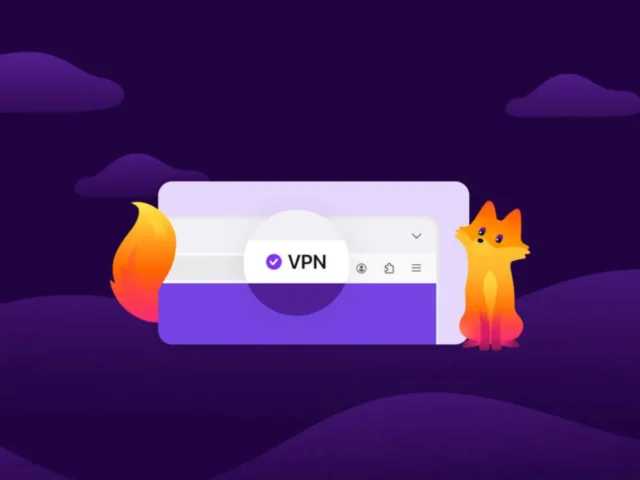
Firefox is getting a free built-in VPN
Mozilla is preparing to add a new privacy feature to Firefox that gives users a free built-in way to hide their IP address and add an extra layer of protection while browsing the web. On paper, that sounds like a major upgrade for anyone who wants better privacy without installing extra software. A browser with a built-in VPN is an attractive idea, especially at a time when more users are becoming aware of online tracking, data collection, and the value of encrypted traffic.
The reality is a bit more complicated.
Firefox’s new built-in VPN is not designed to replace a traditional premium VPN service. It is a lighter, narrower tool aimed at improving privacy inside the browser rather than protecting the whole device. That still makes it useful, and for some people it could be a very convenient feature, but it also means expectations need to stay realistic. Users looking for simple IP masking and basic browser-level privacy may like what Mozilla is building. Users expecting a full VPN experience with advanced controls, system-wide coverage, and broad flexibility will quickly run into its limitations.
That is what makes this launch interesting. Mozilla is not trying to build the most powerful VPN on the market. It is trying to make a privacy feature easy enough for ordinary users to actually turn on and use.
What Firefox’s built-in VPN actually is
Firefox’s new tool is best understood as a browser-level privacy layer with VPN-like functionality. Once enabled, it routes browser traffic through Mozilla’s proxy infrastructure to help hide the user’s real IP address and make online activity harder to track. The idea is straightforward: websites, advertising networks, and internet service providers should have a more difficult time linking browsing behavior directly to a user’s real connection or exact location.
From a practical point of view, that gives Firefox users a simple way to improve privacy during normal web browsing. People who read news, shop online, use webmail, browse forums, or spend most of their time inside the browser may find this genuinely useful. It reduces exposure at one of the most important points in everyday internet use: the browser itself.
Mozilla is also building the feature on top of WireGuard, which is one of the most modern and efficient VPN protocols in use today. That is a strong technical foundation. WireGuard is known for lower overhead, good performance, and modern security design, which makes it a sensible choice for a built-in privacy feature where speed and simplicity matter.
Even so, users should not confuse a browser-based privacy layer with a traditional full-device VPN. Firefox’s new feature is designed around convenience and limited-scope privacy, not total traffic protection.
When the feature is arriving
Mozilla plans to introduce the feature with Firefox 149, beginning with a limited live rollout rather than a full global release. The first stage is expected to cover users in the United States, France, Germany, and the United Kingdom before any wider expansion.
That kind of controlled launch makes sense for a networking and privacy feature. Rolling it out gradually gives Mozilla a chance to test reliability, infrastructure load, user adoption, and possible bugs under real-world conditions before scaling further. It also allows the company to measure how users actually interact with the feature and where support issues or edge cases emerge.
For users outside the initial availability group, that means the new built-in VPN may remain unavailable for a while even after the browser update lands.
Why the phrase “free VPN” can be misleading
The biggest source of confusion is the name itself.
When most people hear the word VPN, they imagine a service that protects all internet traffic coming from a device. That usually includes web browsers, email apps, messaging tools, games, operating system background traffic, cloud services, and any other connected application. A classic VPN also usually offers country selection, server switching, location spoofing, app-level controls, and broader account-based management across multiple devices.
Firefox’s built-in system is not that.
Mozilla’s feature is much more limited in scope. It focuses on traffic generated inside Firefox, not traffic from the entire operating system. In that sense, it behaves more like a privacy-enhancing browser tunnel than a full VPN platform. It hides your IP address in supported browser activity, but it does not turn your laptop, desktop, or phone into a fully protected VPN-connected device in the way a dedicated service does.
That distinction matters because the feature will probably sound more powerful than it actually is to casual users. Mozilla is offering something useful, but it is not offering a true replacement for a traditional VPN subscription.
How the Firefox system works in practice
Once activated, the built-in feature routes eligible Firefox traffic through Mozilla’s proxy server. That changes the visible IP address seen by websites and adds encryption to that part of the connection. As a result, websites should have a harder time determining the user’s actual IP address and exact browsing location. The user gains a layer of privacy without having to install a separate VPN client or configure anything complicated.
This has real advantages.
It can make everyday browsing less transparent to ad networks and websites that rely heavily on IP-based profiling. It can reduce the visibility of browsing activity from the perspective of the local network or internet provider. It can also give users a more private default experience when using Firefox in public Wi-Fi environments or on less trusted connections.
But this improvement should not be overstated. IP masking helps, but it does not eliminate all tracking. Cookies, account logins, browser fingerprinting, embedded scripts, and device-level signals can still be used to follow user behavior. Hiding the IP address is an important privacy step, but it is not complete anonymity.
Firefox’s new feature should therefore be seen as one protective layer among several, not as a universal invisibility tool.
The most important limitation: browser-only coverage
The biggest weakness of Firefox’s free built-in VPN is also the easiest one to explain: it only protects traffic that happens inside Firefox.
That means anything happening outside the browser remains outside its protection. If the user launches an email program, syncs files through a cloud app, uses another browser, plays an online game, or runs software that connects directly to the internet, that traffic may continue through the normal connection with no VPN-style shielding at all.
For some users, that may be perfectly acceptable. A large portion of daily internet activity now happens inside the browser. Search, social media, streaming in tabs, shopping, news, banking, and work apps often live there. If the goal is simply to make Firefox browsing more private, Mozilla’s solution still has value.
But for users who want one consistent network identity across all applications and services, browser-only protection is a serious limitation. It leaves major parts of the device’s digital activity untouched.
This is where the difference between Firefox’s feature and a real dedicated VPN becomes very clear.
It is not designed for advanced unblocking or server control
Another important limitation is control. Firefox’s built-in VPN is not being positioned as a service for choosing countries, hopping between global servers, or unlocking region-specific content. Users should not think of it as a streaming-oriented or travel-oriented VPN replacement.
That matters because many people associate VPNs with location switching. They want to appear in another country, access services while traveling, or choose a specific region for privacy or convenience. Firefox’s new tool is not built around that kind of use case. Its purpose is privacy enhancement within the browser, not broad geographic flexibility.
In editorial terms, this is one of the clearest boundaries between Firefox’s system and a premium VPN. Mozilla is focusing on lightweight privacy, not advanced routing control.
The 50 GB monthly limit also matters
Mozilla’s built-in browser VPN is expected to include a monthly data cap of 50 GB. That sounds generous at first, but its usefulness depends heavily on how people browse.
For light everyday usage, 50 GB may be more than enough. Users who mostly read articles, check email, browse shopping sites, work with text-based web apps, or use search engines will probably not hit that ceiling quickly. For those users, the service may feel effectively free and flexible.
But heavier browser activity changes the picture. Frequent video streaming, large downloads, cloud tools with media-heavy interfaces, browser-based gaming, and repeated use of high-bandwidth web services can consume that allowance much faster than many users expect. Once that happens, the limitations of the free model become more obvious.
The cap is another sign that Mozilla is not trying to replace a full unlimited VPN subscription. It is offering a convenience feature with clearly defined limits.
Why the feature will still appeal to many users
Despite the restrictions, Firefox’s built-in VPN has one major strength that many full-featured VPN providers struggle to match: simplicity.
There is no extra app to install, no browser extension to manage, no separate desktop client, and no need to choose among long lists of servers and configuration settings. For many ordinary users, that simplicity is a major advantage. Plenty of people care about privacy in theory but never install dedicated tools because they do not want the friction of setup, subscriptions, extra software, or technical menus.
Firefox removes much of that friction. If the feature is easy to turn on and works quietly in the background, many users who would never sign up for a standard VPN may still use Mozilla’s built-in solution.
That matters because usability is often more important than raw capability. A weaker privacy feature that real users actually enable can have more real-world impact than a stronger one that most people ignore.
Mozilla account requirement
To use the new feature, users will need a Mozilla account. That is not unusual, but it does create a small contradiction in the eyes of some privacy-focused users.
On the practical side, the account requirement makes sense. Mozilla needs a way to manage access, enforce data limits, handle rollout eligibility, and support the feature operationally. An account gives the company a manageable structure for doing that.
On the psychological side, some users will not love the idea of linking a privacy feature to an account identity. Even when a company promises limited logging and minimal telemetry, account-based activation feels less anonymous than a fully standalone privacy tool.
Still, for mainstream Firefox users, the account requirement is unlikely to be a deal-breaker. It is an extra step, but not a major obstacle.
What Mozilla says about logging and privacy
Mozilla says the system does not log browsing history or the websites users visit. According to the company’s explanation, only a small amount of technical data is collected, such as connection status information and data usage levels, and that information is stored for a limited period.
That is an important part of the product’s positioning. Any privacy or proxy service sits in a sensitive place in the data chain, so users naturally want to know what is being collected, how long it is stored, and whether browsing behavior can be reconstructed from operational metadata.
A promise not to store browsing history is more meaningful than a vague privacy claim, but it is still worth understanding the difference between not storing browsing history and collecting nothing at all. Most network services retain some limited operational data for reliability, usage accounting, abuse prevention, and troubleshooting. The real question is how narrow that collection is and how carefully it is handled.
For many everyday users, Mozilla’s approach will likely sound reasonable. For the most privacy-demanding audience, the free built-in tool will still be seen as a convenience layer rather than the last word in network privacy.
Firefox VPN vs NordVPN
Looking for a full VPN instead of a browser-only privacy feature?
Firefox’s new built-in tool is convenient, but it has clear limits. For users who want full-device encryption, broader location options, and a more traditional VPN experience, NordVPN is one of the most obvious upgrade paths.
This is the point where the comparison becomes especially useful, because Firefox’s built-in system and NordVPN are not really trying to solve the exact same problem.
Firefox is offering a simple, free, browser-based privacy tool. NordVPN is a full VPN platform built to protect the device as a whole, with broader controls, larger infrastructure, and features designed specifically for users who want more than basic browser privacy.
The most immediate difference is scope. Firefox protects browsing inside Firefox. NordVPN protects internet traffic across the operating system, which means browsers, background apps, email clients, cloud services, and many other connected tools can all use the VPN tunnel. For a user who wants one consistent encrypted connection across the device, that is a fundamental advantage.
The second major difference is flexibility. Firefox’s built-in system is limited in how much control it gives the user. It is designed for low-friction activation, not for fine-tuned routing choices. NordVPN, by contrast, is built around the idea of user control. It offers country selection, broader server access, multiple device support, and a much more traditional VPN experience.
The third difference is use case depth. Firefox is primarily useful for hiding your IP address while browsing and making browser-based tracking more difficult. NordVPN is built for a much wider set of scenarios. That includes full-device privacy, more consistent protection on public Wi-Fi, support across different platforms, and the kind of broader usage that people generally expect when they pay for a VPN subscription.
There is also the issue of limits. Firefox’s free feature comes with a monthly data cap and restricted coverage. NordVPN is positioned as a premium service for users who want fewer compromises and more comprehensive protection. In simple terms, Firefox is the lightweight entry point. NordVPN is the full-scale tool.
That comparison creates a very natural editorial message. Firefox’s system is useful for readers who want a quick and free privacy upgrade inside the browser. NordVPN becomes the stronger option for readers who need full-device coverage, more control, and a VPN designed from the ground up as a complete service rather than as an added browser feature.
Which one makes more sense for real users
For someone who spends most of the day inside the browser, wants to reduce tracking, and prefers a built-in free tool over a separate app, Firefox’s new feature could be enough. It is simple, easy to understand, and integrated directly into a browser they may already use every day. For casual privacy improvement, that is a compelling package.
For someone who wants full coverage beyond the browser, Firefox is not enough. Users who work across multiple apps, care about protecting all device traffic, want more server and region flexibility, or simply do not want a browser-only solution will find a dedicated VPN more practical. This is where NordVPN clearly moves into a different class.
That does not mean Firefox’s feature is weak. It means it is focused. Mozilla is deliberately aiming at a narrower target: lightweight browser privacy that ordinary users can activate without hassle. NordVPN aims at broader digital protection with far fewer built-in compromises.
Seen that way, the comparison becomes simple. Firefox is the convenient free option for basic privacy inside one browser. NordVPN is the more complete solution for people who want a real VPN environment.
Why this matters beyond Firefox
Mozilla’s move is important even if the feature is limited. It shows how much the browser market has shifted toward privacy as a built-in product category rather than a specialist add-on. Users no longer compare browsers only by speed, tab management, or extension ecosystems. They also compare them by how much privacy help they offer by default.
Firefox has long tried to stand apart by emphasizing user control, privacy, and a more independent identity than some of its larger competitors. Adding a built-in VPN-like feature fits that strategy. Even if it is not a complete replacement for a dedicated VPN, it strengthens Firefox’s privacy-focused image and makes the browser more attractive to users who want better defaults without extra effort.
At the same time, it may also highlight the gap between browser-level privacy and full network privacy. The more users learn what Firefox’s feature can and cannot do, the easier it becomes to explain why a dedicated VPN service still exists as a separate category.
That is exactly why comparing Firefox’s solution with NordVPN works so well in an article like this. The two products are related enough to compare, but different enough that the comparison is genuinely useful.
The real takeaway
Firefox’s new built-in VPN is a practical privacy feature with real value, but it is not a traditional full VPN. It can help hide your IP address, encrypt browser traffic, and reduce some forms of tracking inside Firefox. It is easy to use, requires no separate installation, and lowers the barrier to entry for people who want basic browser privacy without extra software.
But the limitations are substantial.
It protects the browser, not the whole device. It does not offer the same flexibility as a dedicated VPN. It comes with a monthly data cap. It is not built for advanced server control or broad geo-switching use cases. In other words, it is a welcome privacy upgrade, but not a complete answer for users who want broader digital protection.
That is where the NordVPN comparison becomes clear. Firefox gives users a free, integrated privacy layer for browser activity. NordVPN represents the next step up for anyone who wants a full VPN rather than a browser-only privacy convenience. One wins on simplicity. The other wins on scope, flexibility, and depth.
For readers, that is probably the most honest way to frame the choice. If all you want is better privacy while browsing in Firefox, Mozilla’s new feature may be enough. If you want broader protection across your device and a more complete VPN experience, a dedicated service still makes far more sense.
Image(s) used in this article are either AI-generated or sourced from royalty-free platforms like Pixabay or Pexels.
This article may contain affiliate links. If you purchase through these links, we may earn a commission at no extra cost to you.