
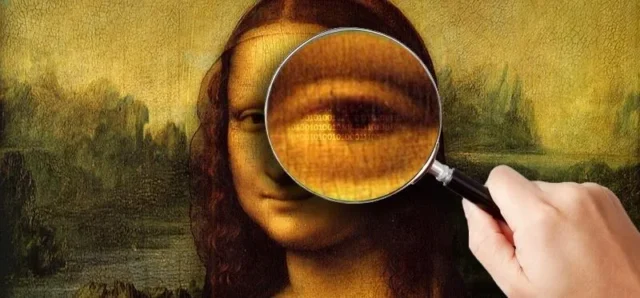
Image steganography lets you hide secret text inside a normal-looking image without visible changes. This browser-based tool uses LSB encoding to embed and extract hidden messages from image pixel data.
Upload an image, enter your message, and download the encoded PNG file. The process runs locally in your browser, so your image and text are not uploaded to any server. PNG format is recommended because JPEG compression can destroy hidden data.
Image steganography tool
Extracted text:
What is image steganography?
Image steganography is the practice of hiding information inside a digital image in such a way that the image still appears ordinary to the viewer. The hidden information may be a short text message, a watermark, an identifier, a small file fragment, or another form of digital data. The important point is that the carrier image does not obviously reveal that anything has been inserted into it.
This makes steganography different from encryption. Encryption protects the meaning of a message by turning readable data into unreadable ciphertext. Steganography tries to hide the existence of the message in the first place. A strongly encrypted message may be unreadable, but it still looks suspicious because it is clearly encrypted data. A steganographic image, by contrast, may look like an ordinary photograph, screenshot, logo, or graphic.
In practice, the two methods can also be combined. A message can first be encrypted and then hidden inside an image. This layered approach means that even if someone discovers the hidden data, the content itself may still remain protected.
Historical background of steganography
The idea of hiding messages is much older than computers. Ancient military and diplomatic systems often relied on concealed communication, because openly carrying a secret message could be dangerous. Historical accounts describe messages hidden under wax tablets, written with invisible ink, concealed in clothing, or carried in ways that would not immediately attract attention.
One of the most famous early examples comes from ancient Greece, where a message was reportedly tattooed onto a messenger’s shaved head. After the hair grew back, the messenger could travel without visibly carrying a written document. Once he arrived, his head was shaved again and the message could be read. Whether seen as practical history or as a symbolic example, the story captures the core logic of steganography: the safest message may be the one nobody notices.
During later centuries, hidden writing became common in espionage, diplomacy, and wartime communication. Invisible inks, microdots, coded markings, and carefully arranged printed text were all used to conceal information. In the twentieth century, intelligence services used photographic miniaturization and microfilm to reduce documents to tiny dots that could be hidden in letters, books, or everyday objects.
Digital steganography is the modern continuation of this same idea. Instead of hiding a message in wax, paper, clothing, or photographic film, data is hidden in the structure of a digital file.
Why images are useful for hiding data
Digital images are especially suitable for steganography because they contain large amounts of data. A modern photo may include millions of pixels, and each pixel contains numerical values describing color and brightness. Small changes to those values are often impossible for the human eye to detect.
A single pixel in a typical RGB image contains three color channels: red, green, and blue. Each channel is usually represented by an 8-bit value from 0 to 255. This gives every pixel three separate numerical values that can potentially be adjusted slightly.
If a red value changes from 142 to 143, or a blue value changes from 201 to 200, the visual difference is normally negligible. Across an entire photograph, especially one with natural texture, shadows, gradients, and noise, such tiny modifications disappear into the image.
This is what makes image steganography practical. The image already contains visual complexity, so small digital changes can be hidden inside that complexity.
How LSB steganography works
The simplest and most widely taught image steganography method is LSB, or Least Significant Bit steganography. It works by modifying the least important bit of a pixel’s color value.
A digital color value is stored in binary. For example, the decimal value 150 is represented as:
10010110
The rightmost bit is the least significant bit. Changing it from 0 to 1 changes the decimal value by only one step. So 150 becomes 151:
10010111
This tiny change is visually insignificant. The color is almost exactly the same. LSB steganography uses this principle to store hidden data bit by bit across many pixels.
A text message is first converted into bytes, and those bytes are converted into binary bits. The tool then walks through the image data and replaces the least significant bits of selected red, green, and blue channel values with the bits of the hidden message.
When extracting the message, the process is reversed. The tool reads the least significant bits from the image pixels, reconstructs the binary data, converts it back into bytes, and finally decodes the bytes into readable text.
This approach is simple, fast, and easy to run directly in a browser. It does not require server-side processing or external software, which makes it useful for educational tools and demonstrations.
What happens inside the browser
A browser-based image steganography tool usually uses the HTML canvas element. When the user uploads an image, the browser draws it onto a canvas. JavaScript can then read the raw pixel data from that canvas.
Each pixel is represented internally as four values: red, green, blue, and alpha. The alpha channel controls transparency. Many simple tools modify only the red, green, and blue channels and leave alpha untouched.
The hidden message is processed locally. The image does not need to be uploaded to a remote server. The browser reads the pixel data, modifies the least significant bits, and then exports the result as a new image file.
This client-side model has an important privacy advantage. The original image and hidden text remain on the user’s device during normal operation. For a general educational or utility tool, this is preferable to sending files to a backend system.
Why the output should be PNG
The file format matters a great deal. LSB steganography depends on exact pixel values. If those pixel values are changed after the message is embedded, the hidden bits may be damaged.
PNG is suitable because it uses lossless compression. A PNG file can reduce file size without changing the actual pixel values. That means the hidden bits remain intact after saving and reopening the image.
JPEG is different. JPEG uses lossy compression. It is designed to make photographs smaller by discarding visual information that is considered less noticeable to the human eye. This is useful for normal photography, but it is destructive for LSB steganography.
When a JPEG is saved, the image is transformed, quantized, and reconstructed. The final pixel values are not guaranteed to match the original values. Even a high-quality JPEG export can alter the least significant bits across the image. Since LSB steganography stores the hidden message exactly in those bits, the message may become unreadable.
This is why a practical LSB tool should export the final image as PNG, even if the original upload was JPEG, WebP, or another format. The uploaded image can be used as a visual source, but the encoded output must preserve pixel values.
Can JPEG be used for steganography?
JPEG can be used for steganography, but not reliably with simple pixel-level LSB methods. JPEG steganography usually works in the frequency domain rather than directly in raw pixel values.
JPEG compression uses DCT, or Discrete Cosine Transform. Instead of storing every pixel directly, JPEG represents image blocks as frequency components. Advanced JPEG steganography methods modify selected DCT coefficients in ways that try to survive compression and remain visually subtle.
This is more complex than browser-based LSB embedding. It requires a deeper understanding of JPEG internals, quantization tables, block structure, and statistical detectability. For a simple online educational tool, PNG-based LSB steganography is usually the more transparent and reliable approach.
Capacity: how much text can fit inside an image?
The capacity of an image depends mainly on its resolution and the number of channels used for embedding. A larger image contains more pixels, and more pixels provide more places to store bits.
If one bit is stored in each red, green, and blue channel, then each pixel can store three bits. A 1000 × 1000 pixel image contains one million pixels, so it can theoretically store about three million bits. That equals roughly 375,000 bytes before overhead.
In real-world use, however, it is usually better not to fill the entire image with hidden data. The more data is embedded, the more the statistical structure of the image changes. Small messages are harder to detect and less likely to create visible artifacts.
For hiding short text, even a modest image has more than enough capacity. A few sentences, a short note, a unique ID, or a small watermark can be embedded with minimal impact on the image.
Visual quality and detectability
A basic LSB method usually does not create visible changes when used moderately. The human eye is not sensitive enough to notice a one-level change in individual color values, especially when those changes are spread across a large image.
However, invisibility to the human eye is not the same as undetectability. Digital analysis can reveal patterns that are not visually obvious. Steganalysis tools can inspect color distributions, noise patterns, histograms, and bit-level randomness.
If hidden data is inserted sequentially from the first pixel onward, the pattern may be easier to detect. More advanced systems use pseudorandom embedding positions controlled by a password or key. This spreads the hidden bits across the image in a less predictable way.
Still, simple LSB steganography should be understood mainly as an educational and lightweight data-hiding technique. It is not a substitute for strong cryptography, and it should not be treated as a high-security communication method by itself.
Steganography vs cryptography
Steganography and cryptography solve different problems. Cryptography answers the question: “How can I prevent others from reading this message?” Steganography answers the question: “How can I prevent others from noticing that a message exists?”
A plain encrypted file may be mathematically secure, but it is visually obvious that something protected is being transmitted. A steganographic image may attract no attention, but if the hidden data is discovered and it is not encrypted, the content may be readable.
For stronger protection, the two techniques can be combined. The message can first be encrypted using a secure algorithm, and the encrypted output can then be hidden inside an image. This way, steganography provides concealment, while cryptography provides confidentiality.
This distinction is important for users. Hiding a message in a picture does not automatically make the message secure. It only makes it less obvious.
Practical use cases of image steganography
Image steganography can be used in several legitimate and educational contexts. One common use is digital watermarking. A creator may embed identifying information into an image to help prove ownership or track distribution. Unlike a visible watermark, a hidden watermark does not interfere with the appearance of the image.
Another use is metadata-like embedding. A small identifier, checksum, note, or reference code can be stored directly inside the image data. This can be useful when visible metadata may be stripped by platforms or file conversion tools.
Steganography is also valuable in education. It helps students understand binary data, image representation, pixel channels, encoding, file formats, and the difference between visible and hidden information. A browser-based LSB tool makes these concepts concrete because users can immediately encode and decode their own messages.
In cybersecurity research, steganography is studied both as a defensive and offensive concept. Analysts examine how hidden data can be detected, how malware might misuse media files, and how content filtering systems can identify suspicious payloads.
Limitations of simple LSB tools
Simple LSB steganography has several important limitations. The first is fragility. Any operation that changes pixel values may destroy the hidden message. Resizing, cropping, filtering, color correction, screenshotting, recompression, or uploading to a platform that optimizes images can all corrupt the data.
The second limitation is detectability. Although the image may look unchanged, statistical analysis may detect unusual bit patterns. This is especially true if the hidden message is large or inserted in a predictable sequence.
The third limitation is lack of built-in secrecy. If someone knows that the image contains LSB data and knows the extraction method, the message can often be recovered. Without encryption or a password-based embedding scheme, the hidden text is only obscured, not strongly protected.
For this reason, simple tools should be used for learning, demonstration, basic watermarking, and low-risk experimentation rather than sensitive communication.
What can damage hidden data?
Hidden data can be damaged by any process that modifies the image. JPEG conversion is the most obvious example, but it is not the only one.
Social media platforms often recompress uploaded images. Messaging apps may resize images automatically. Content management systems may generate optimized versions. Image editors may apply color profiles, sharpening, compression, or metadata cleanup. Even saving the image again in a different program can alter pixel data depending on the settings.
For reliable extraction, the encoded PNG should be preserved as directly as possible. The same file that was downloaded from the tool should be used for decoding. If the file passes through another system, there is always some risk that the hidden bits will change.
Ethical and legal considerations
Steganography is a neutral technology. Like encryption, it can be used for legitimate privacy, education, research, and data protection. It can also be misused to conceal harmful or unauthorized information.
A responsible steganography tool should be presented as an educational and technical utility. Users should understand that hiding information inside images does not grant permission to bypass laws, policies, copyright rules, or security systems.
For website content, it is also useful to explain the limits clearly. The tool is designed for basic image steganography experiments, not for illegal concealment, malware delivery, or evasion of forensic analysis.
Why browser-based tools are convenient
A browser-based steganography tool has several advantages. It requires no installation, works across operating systems, and can be used immediately. Because modern browsers support canvas, file input, Blob handling, and client-side JavaScript, the entire encoding and decoding process can happen locally.
This makes the tool accessible to beginners while still demonstrating real technical principles. Users can upload an image, hide text, download the result, and then test extraction in the same interface. The feedback loop is immediate.
For a website, this also creates strong interactive value. Instead of only explaining steganography theoretically, the page gives visitors a working example. That can improve engagement, dwell time, and topical relevance for search queries related to image steganography, hidden text in images, LSB encoding, PNG steganography, and browser-based privacy tools.
Best practices for using the tool
For the most reliable results, use a reasonably large image and keep the hidden message short. A short message creates fewer pixel changes and is less likely to affect image statistics. The encoded output should be downloaded as PNG and kept in that format.
Avoid editing the image after embedding the message. Do not resize it, compress it, upload it to a platform that modifies images, or convert it to JPEG. If you need to share the image, send the PNG file directly rather than a preview or screenshot.
If the message is sensitive, encrypt it before embedding. Simple LSB steganography hides the message, but it does not provide strong security if the hidden data is discovered.
The future of digital steganography
As digital media becomes more complex, steganography continues to evolve. Modern research explores adaptive algorithms that choose embedding locations based on image texture, noise, and visual complexity. The goal is to reduce detectability while preserving image quality.
Artificial intelligence also affects the field. Machine learning can be used to detect hidden data, but it can also be used to create more advanced hiding methods. Neural steganography, generative models, and adversarial techniques are increasingly relevant in academic research.
At the same time, everyday media platforms are becoming more aggressive in compressing and transforming uploaded content. This makes robust steganography more difficult, especially for simple pixel-level methods. Future tools may need to combine encryption, adaptive embedding, error correction, and format-aware processing to remain reliable.
Image steganography as a learning tool
Even if simple LSB steganography is not the most advanced method, it remains one of the best ways to understand how digital information can be hidden. It connects several important technical concepts in a practical way: binary encoding, Unicode text, RGB color channels, image formats, compression, data capacity, and error sensitivity.
By experimenting with a basic tool, users can see that a digital image is not just a picture. It is structured numerical data. Once that is understood, the idea of hiding information inside media files becomes much easier to grasp.
This is why image steganography is often introduced in programming, cybersecurity, digital forensics, and computer science education. It is simple enough to demonstrate, but rich enough to lead into deeper topics.
Image steganography is a method for hiding data inside ordinary image files. In its simplest form, it modifies the least significant bits of pixel color values so that a hidden message can be stored without visibly changing the image.
The technique has deep historical roots, but digital images have made it especially practical because they contain large amounts of pixel data. Browser-based LSB tools make the process accessible, allowing users to encode and extract hidden text locally without uploading files to a server.
PNG is the preferred output format because it preserves exact pixel values. JPEG is unsuitable for basic LSB methods because its lossy compression can destroy hidden data. While simple image steganography has clear limitations, it remains a useful educational tool, a practical demonstration of digital data hiding, and a foundation for understanding more advanced steganographic techniques.
Image(s) used in this article are either AI-generated or sourced from royalty-free platforms like Pixabay or Pexels.
This article may contain affiliate links. If you purchase through these links, we may earn a commission at no extra cost to you.
Get the weekly RF & IT briefing
Radio guides, RF calculators, AI, Windows, Linux and satellite communication explainers. One useful email per week. No spam.


